ZYNORAQEnterprise Solutions, Engineered Intelligence
Get Access
☰
Enterprise-grade · Zynoraq Basis team

Download & install Adobe LifeCycle Designer (ALD).

Three focused steps. Zero jargon. Backed by Zynoraq Basis consultants, the same team enterprises trust for licensing, rollouts and 24×7 support.

10min setup

Download resource

SAP HANA Studios
ADT-Eclipse IDE
ALD for Windows
SAP Analytics for Microsoft Office
trusted by 4200+ consultants

The guide

Steps from download to first login

Each step includes what to click, what to expect, and a checkpoint so you always know you're on the right track.

1

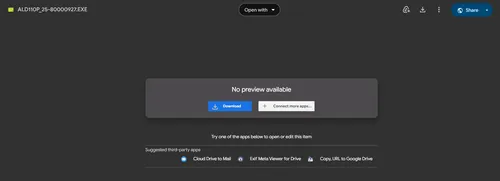
To access the Adobe Live Cycle Designer, kindly click on the Download ( Windows ) button provided.

Step 1 of 3

SAP GUI Install Steps

Stuck at login?

Need SAP credentials to log in?

We provision ready-to-use SAP user accounts within 24 hours — perfect for practice, training and demos.

Get credentials →
2

Click on DOWNLOAD.

SAP GUI Install Steps

Step 2 of 3

1

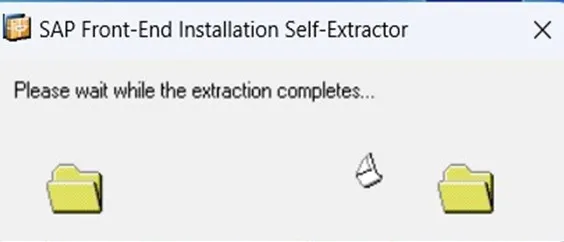
After Completing the file download, double-click on the downloaded file.

SAP GUI Install Steps
2

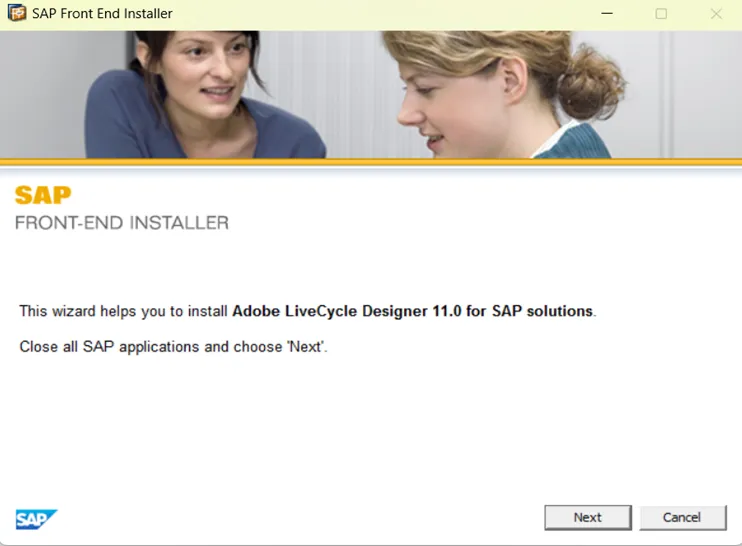
After double clicking you will find the below screen.
SAP GUI Install Steps
3

Now click on the “NEXT” Button.

SAP GUI Install Steps
4

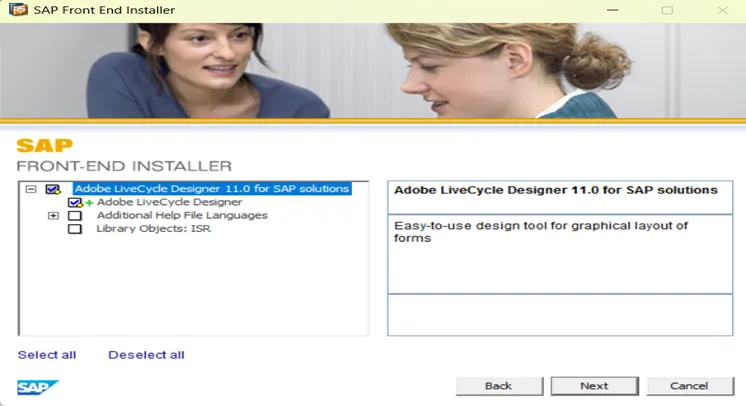
Now Select the checkboxes as shown in the below image and click “NEXT”.
SAP GUI Install Steps
5

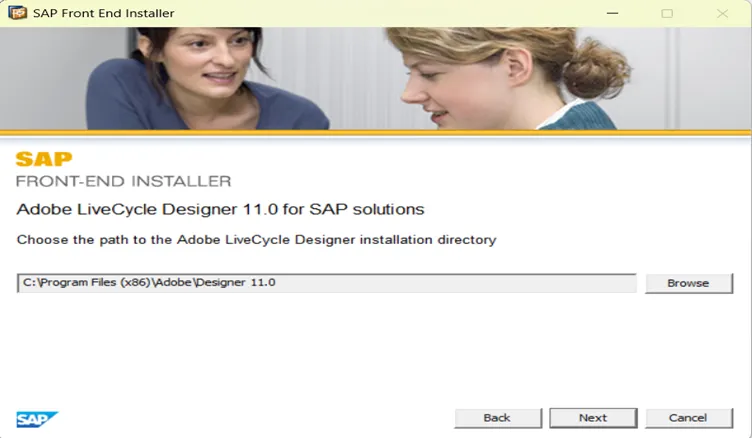
Now again click on the “NEXT” Button.
SAP GUI Install Steps

No system yet?

Need a server to practice on?

We spin up dedicated SAP demo systems in hours, ready for connection testing.

Request a demo system →
3

Now again click on the “NEXT”  Button.

Step 3 of 3

1

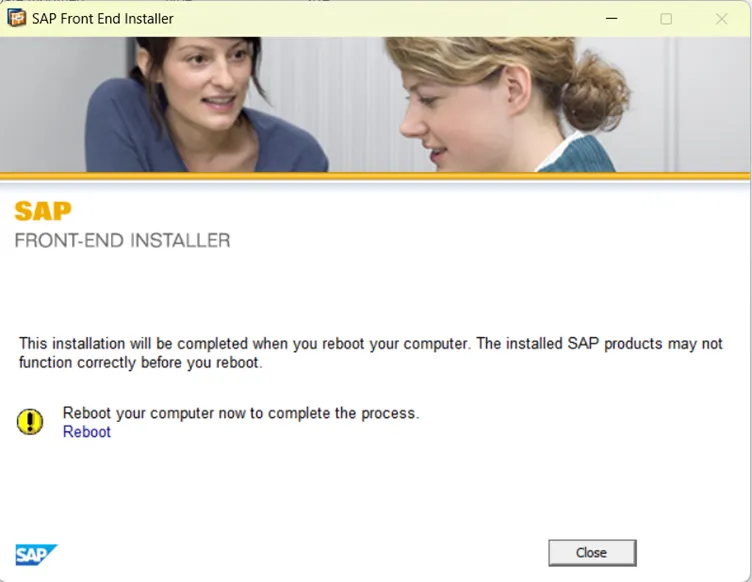
Finally click on “CLOSE”  Button.
SAP GUI LOGON DETAILS

Your Adobe LiveCycle Designer(ALD) is installed successfully.

Access by use case

Match your goal to the right environment

PracticeTrainingDemos & POCsMigrationsIntegrations & developmentTalk to an expert →

Our services

One partner for the whole SAP journey

Prefer to watch it done?

This short walkthrough covers the same three steps end to end  extracting the installer, running setup, and configuring your first SAP Logon Pad connection  so you can follow along at your own pace.

Installed ? What's next?

Get access to a live SAP server to start practicing right away.

Get SAP server access →

Enterprise-grade SAP consulting, digital infrastructure, and Industrial IoT solutions for global organizations.

+91 9000178236
contact@zynoraq.com
Zynoraq YoutubeZynoraq Instagram
OUR GLOBAL PRESENCE
INDIA (Head Office)
Zynoraq Technologies Pvt Ltd,
#135, 5th Floor, Western Aqua, Hi-tech City, Hyderabad,‍ Telangana, 500081, INDIA.
GST: 36AACCZ8007B1ZJ
USA
Zynoraq Technologies Inc,
8 The Green #5298 Dover, DE, 19901, United States .
OUR GLOBAL PRESENCE
INDIA (Head Office)
Zynoraq Technologies Pvt Ltd,
#133, 5th Floor, Western Aqua, Hi-tech City, Hyderabad,‍ Telangana, 500081, INDIA.
GST: 36AACCZ8007B1ZJ
USA
Zynoraq Technologies Inc ,
8 The Green #5298
Dover, DE, 19901,
United States .
OUR GLOBAL PRESENCE
INDIA (Head Office)
Zynoraq Technologies Pvt Ltd,
#135, 5th Floor, Western Aqua, Hi-tech City, Hyderabad,‍ Telangana, 500081, INDIA.
GST: 36AACCZ8007B1ZJ
USA
Zynoraq Technologies Inc,
8 The Green #5298 Dover, DE, 19901, United States .