The guide
Steps from download to first login
Each step includes what to click, what to expect, and a checkpoint so you always know you're on the right track.
Download Eclipse
.avif)
Stuck at login?
Need SAP credentials to log in?
We provision ready-to-use SAP user accounts within 24 hours — perfect for practice, training and demos.
Select Download.
Step 2 of 4
Open the downloaded File -> Right Click -> Run as Administrator.
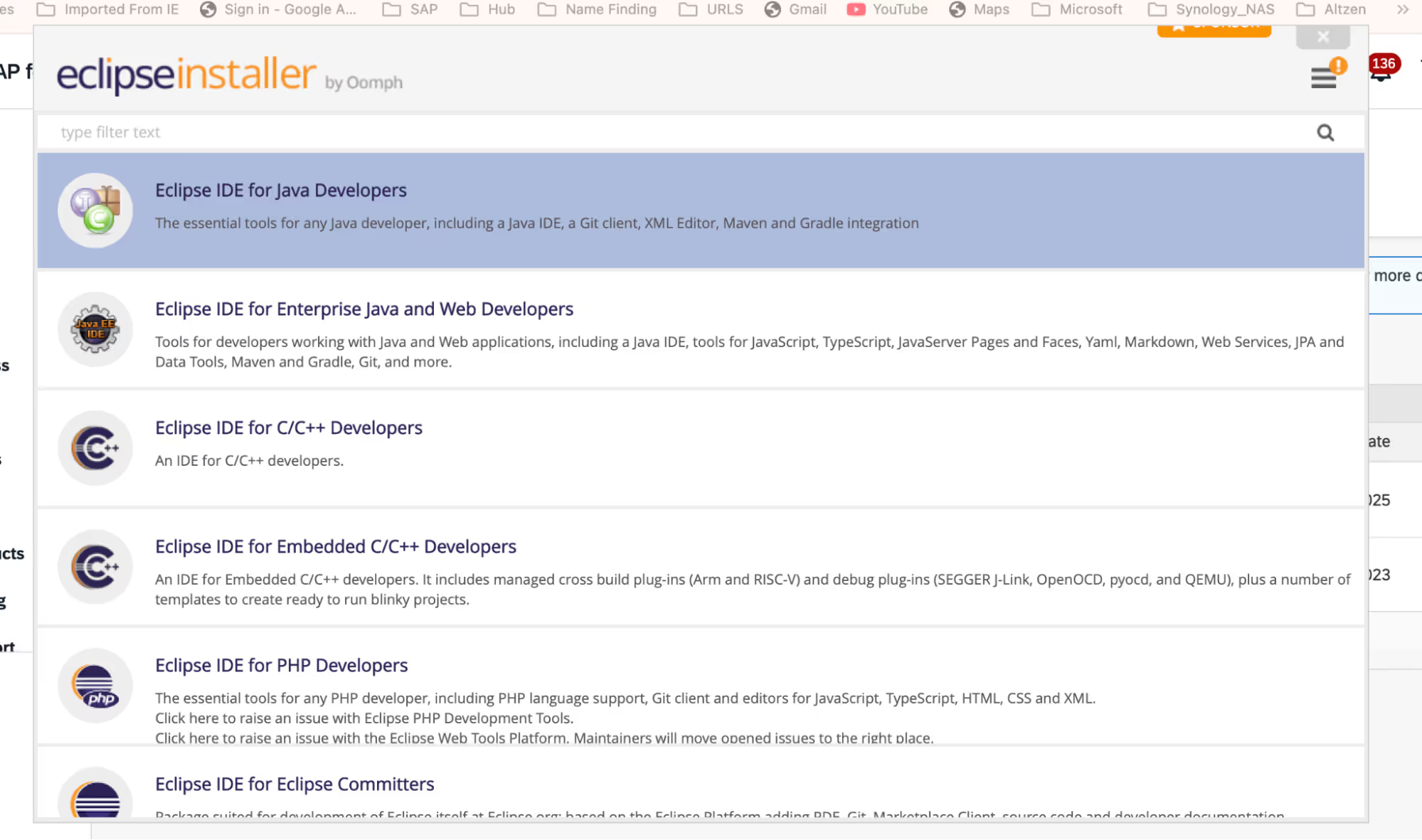
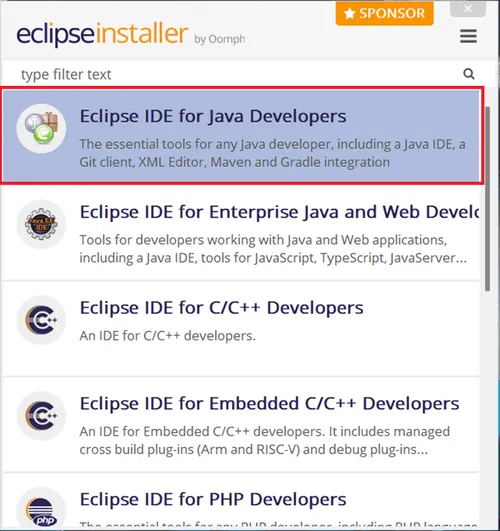
Select “Eclipse IDE for java developers”.
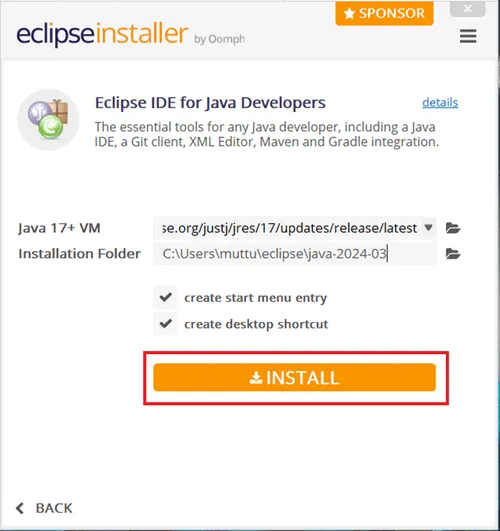
Select “Install”.
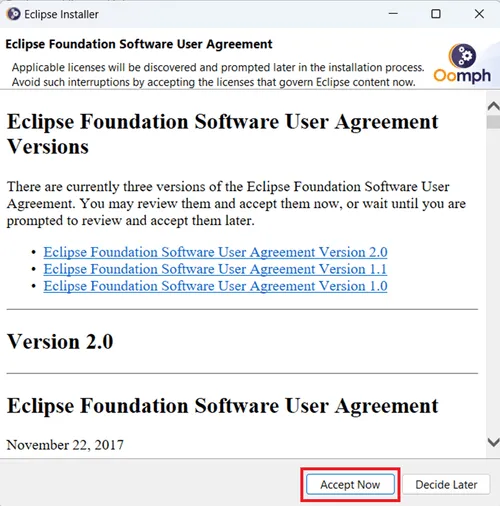
Click on “Accept Now”.
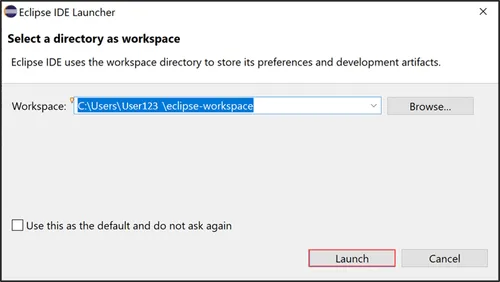
Launch your workspace.
No system yet?
Need a server to practice on?
We spin up dedicated SAP demo systems in hours, ready for connection testing.
Add the ADT Plugin in Eclipse IDE.
Step 3 of 4
Select "Help>Install New Software"
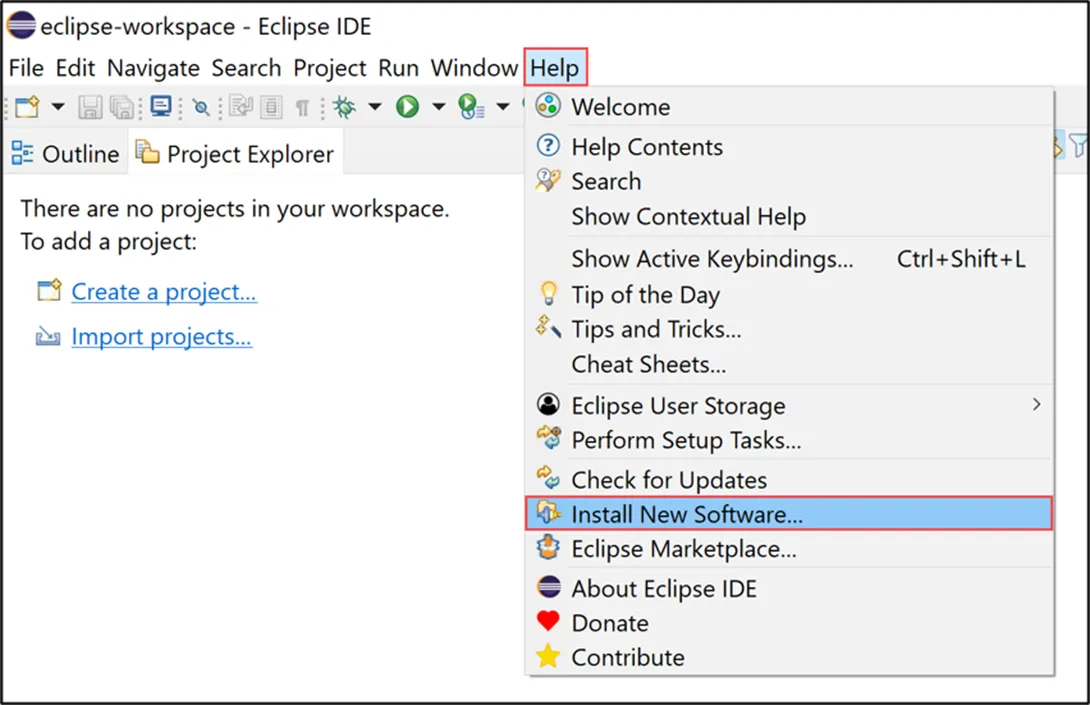
Now click on Add .
Click On Local .
Go to the respective files and add them.
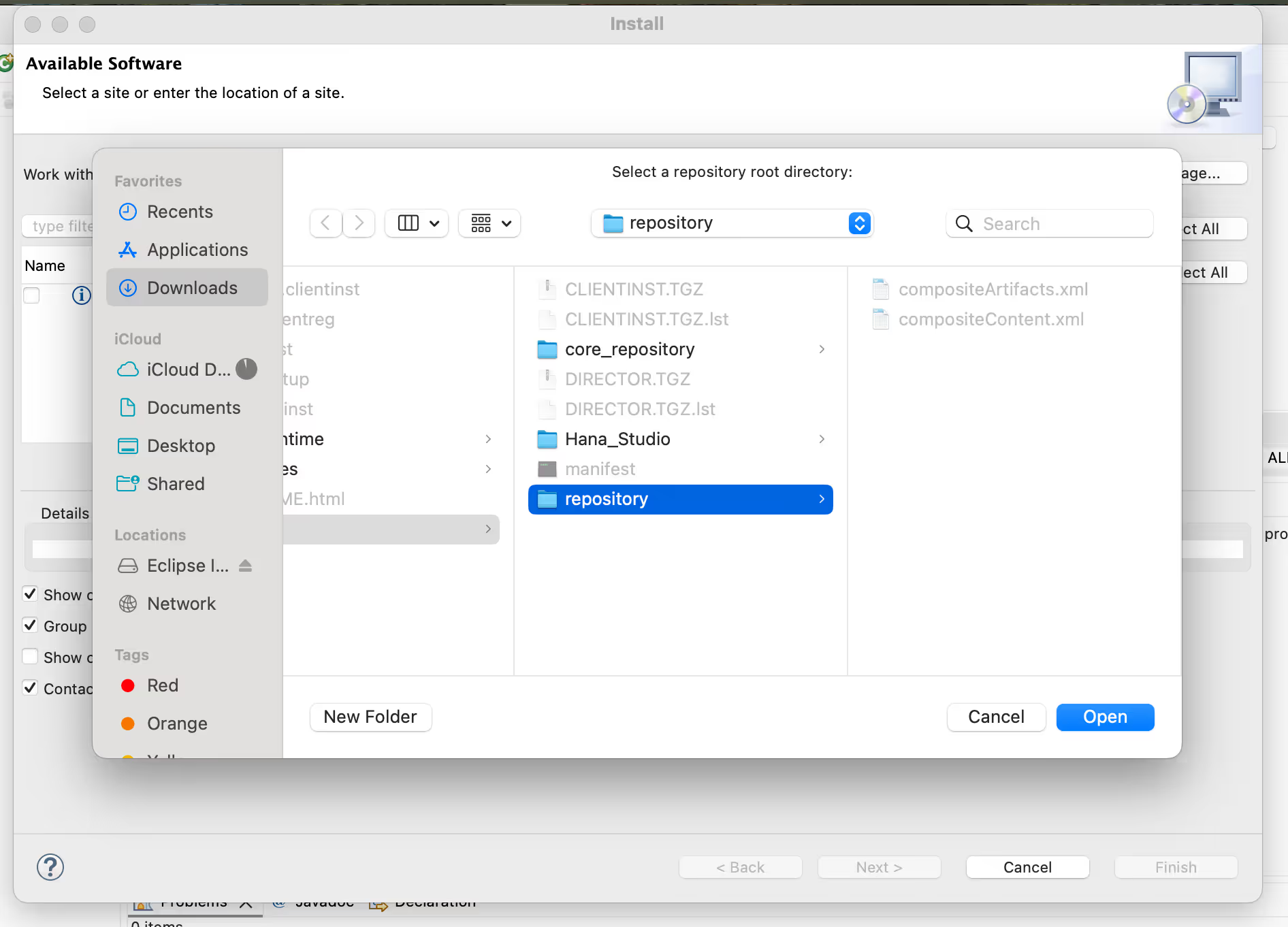
Add ABAP Prespective.
Step 4 of 4
Accept the terms of the license Agreement.
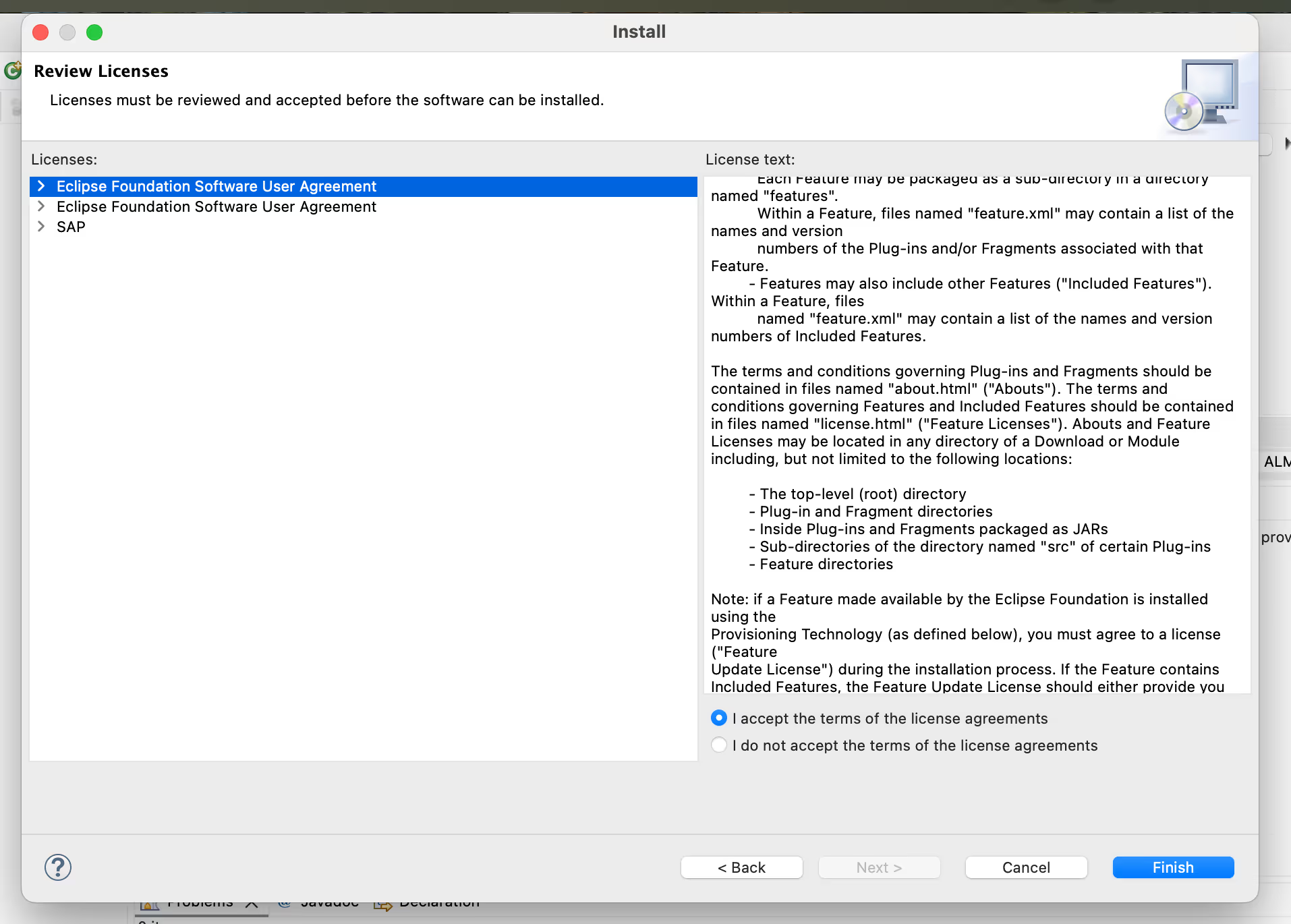
Select ABAP and click Open.
Now select the Abap Development tool's
Now it will ask all the Linked SAP Servers list from the SAP GUI Logon.
Click Restart Now.
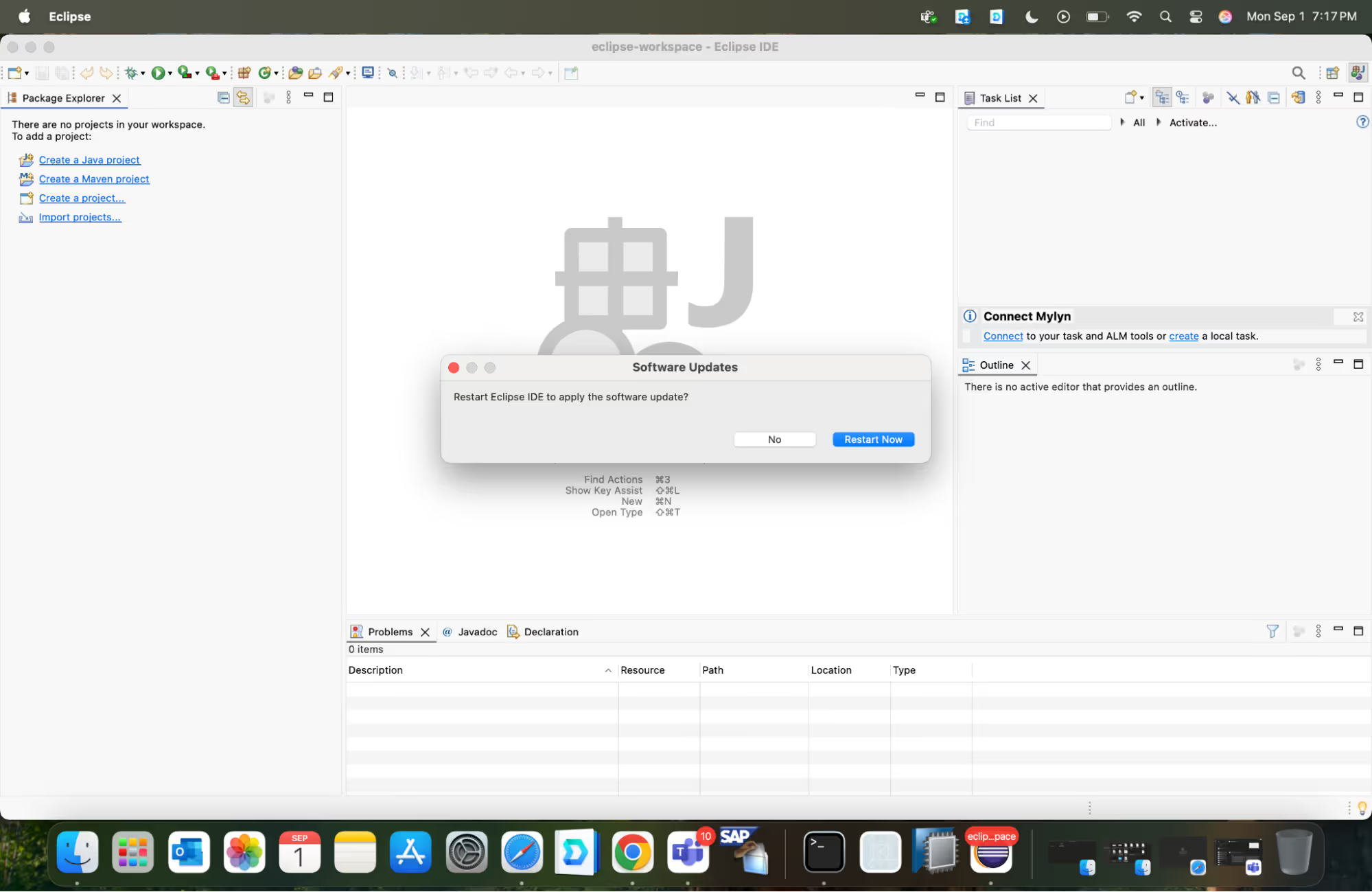
Click “Next” and Select the needed SAP Server and login with your credentials. Click “ Next”.
Now login with the credentials.
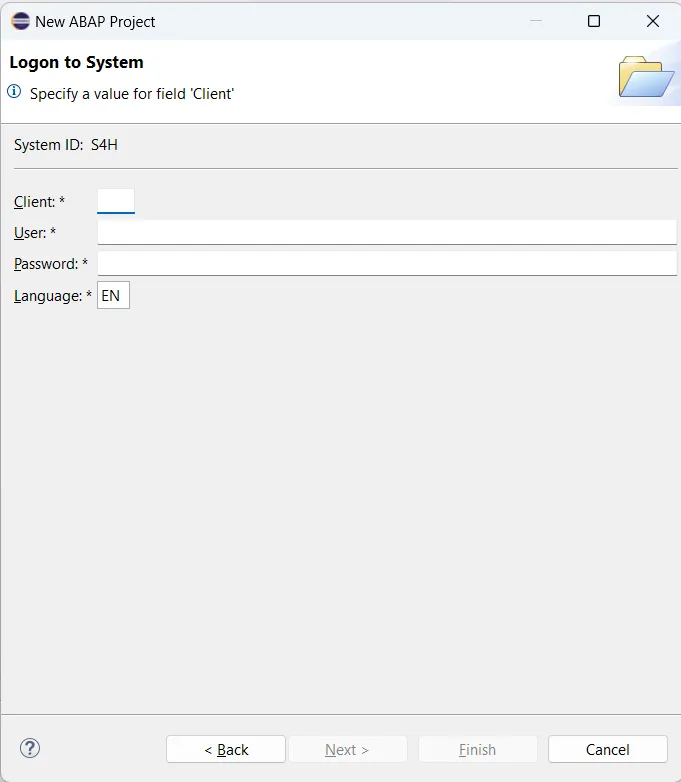

.avif)
.avif)


.png)
.png)